

Japanese study guide
Everything Cotobara Does: A Complete Feature Tour
A tour of Cotobara: the SRS engine, lessons, word breakdowns, the arcade, analytics, levels and badges, audio, JLPT progress, and WaniKani import.
Cotobara is a Japanese vocabulary app built around one idea: you should spend your study time studying, not configuring a study tool. Sign up, answer three questions, and you are learning real JLPT vocabulary within a minute.
This post is the map. Each section is a short summary with a link to a deeper guide if you want the detail.
The vocabulary itself
Cotobara ships with 8,700+ curated Japanese words spanning JLPT N5 to N1. Every entry carries its reading, kanji, meaning, part of speech, and a frequency rating that says how heavily the word is actually tested.
You are never picking a deck or importing a spreadsheet. Lessons are ranked by that rating within your level, so a heavily tested N4 word can reach you before a rare N5 one, and the obscure entries wait until they are worth your time.
→ See a sample word page: 飛行機 (airplane)
Lessons: a few words at a time
New words arrive in small batches - five by default, anything up to twenty if you would rather cover the day in fewer sittings. Each word starts with a no-stakes guess at its meaning, then opens into the full card: pronunciation, example sentence, and why the word means what it means. Checks are woven through the run, each word coming back a word later, so you retrieve every word twice before the lesson ends.
If a word turns up that you already know, mark it known or skip it from the lesson itself: a known word goes straight to a single check a few days out instead of starting from scratch, and a skipped word costs nothing from the day's allowance.
Your daily new-word limit is yours to set, up to 100 a day on Premium (15 during the trial). Leave "adjust my pace to my accuracy" on and Cotobara quietly offers fewer new words when your accuracy slips, then gives them back as it recovers - so the review load you signed up for is the one you actually get.
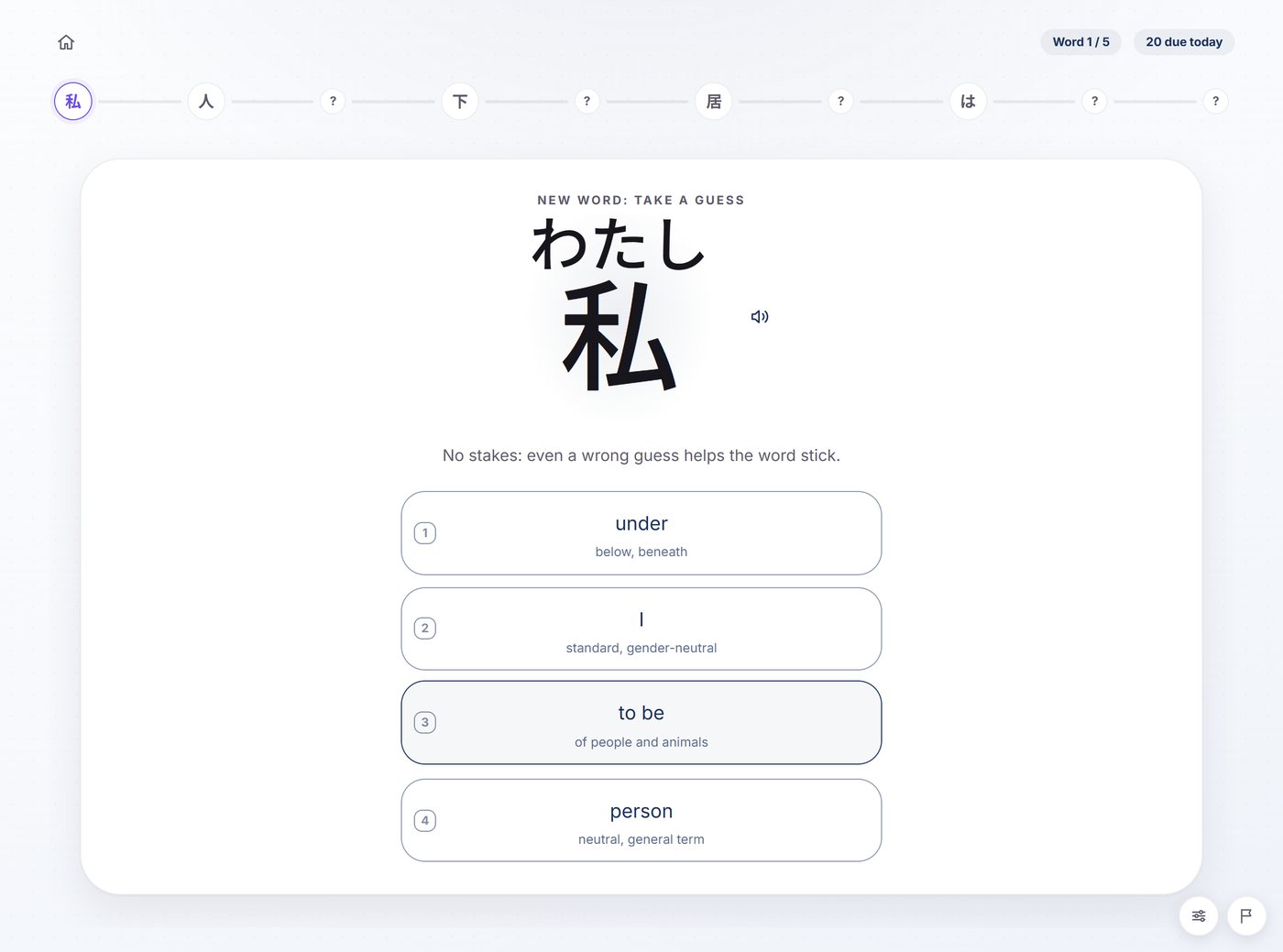
→ How lessons work, and how to pick your daily pace
Queue the words you want next
Cotobara decides the order, but you can jump the line whenever you have a reason to. Queue a word from its own page or from the vocabulary browser and it is taught in your next lesson instead of whenever the ordering would have reached it.
For a list rather than a single word, paste it in: up to twenty lines at a time, straight off your class notes, a chapter list, or the words you wrote down from one drama episode. Each line is matched against the catalog, you confirm the match wherever a line is ambiguous, and the lot is queued at once.
Queueing is a Premium feature, and it overrides your WaniKani exclusions: asking for a word by hand is exactly the case those filters should get out of the way for.
Reviews: four kinds of card
Every word you learn comes back as two cards, not one: once from Japanese, once back into Japanese. A word only counts as correct when you get both sides right without a slip. That is the difference between "I've seen this before" and "I can use this."
What each card looks like depends on how far the word has climbed.
Multiple choice, for a brand-new word's first couple of days. You see the Japanese and tap one of four meanings. The wrong three are other words from the same session, so nothing is given away by shape.
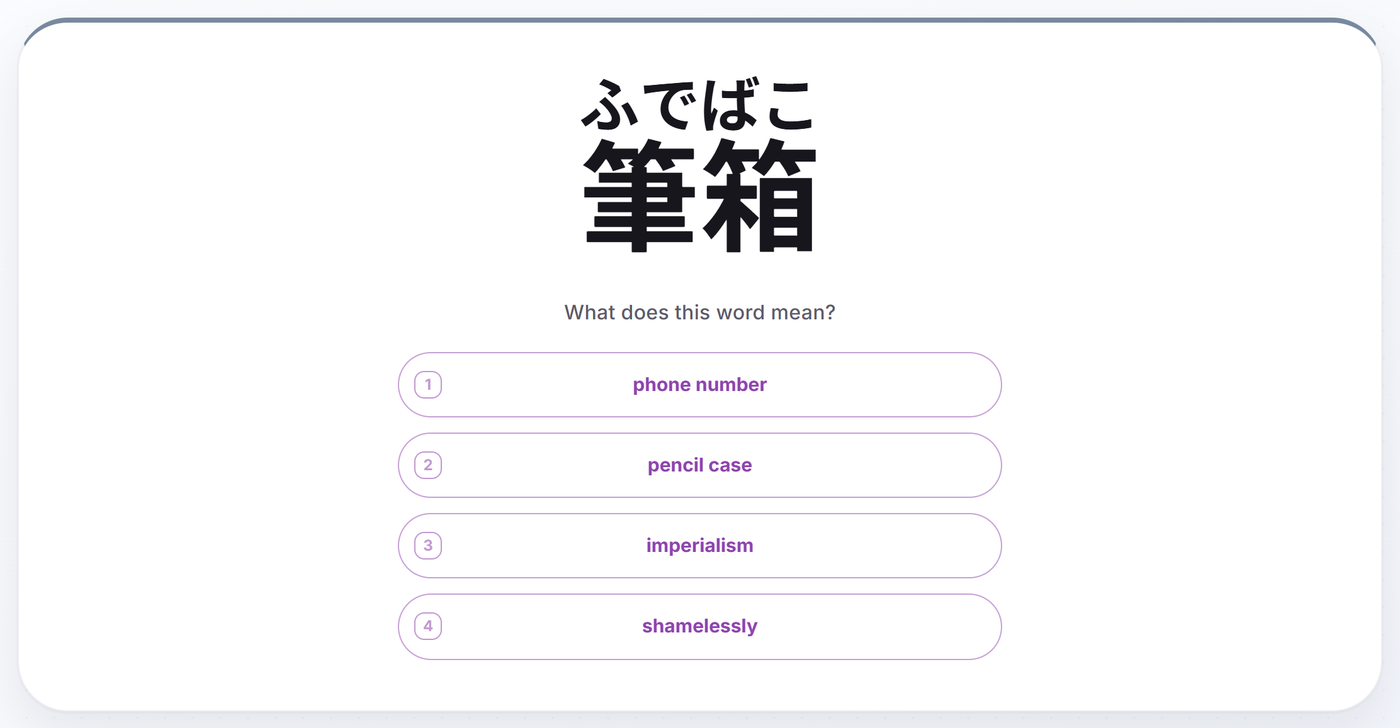
Typing, from then on. Once those first couple of days are behind it, the meaning is typed too, in your own words. The reading side never had the choice: it is typed from the very first review and never becomes multiple choice at any stage, because it is the card that proves a word is retrievable rather than merely recognisable. Type romaji and it becomes kana as you go, so no Japanese IME is needed.
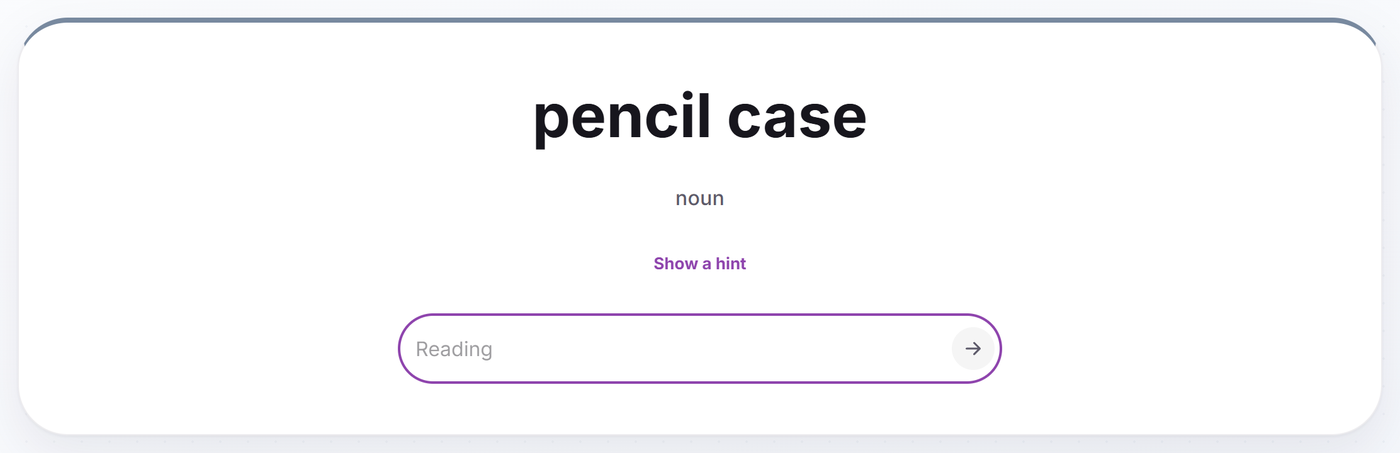
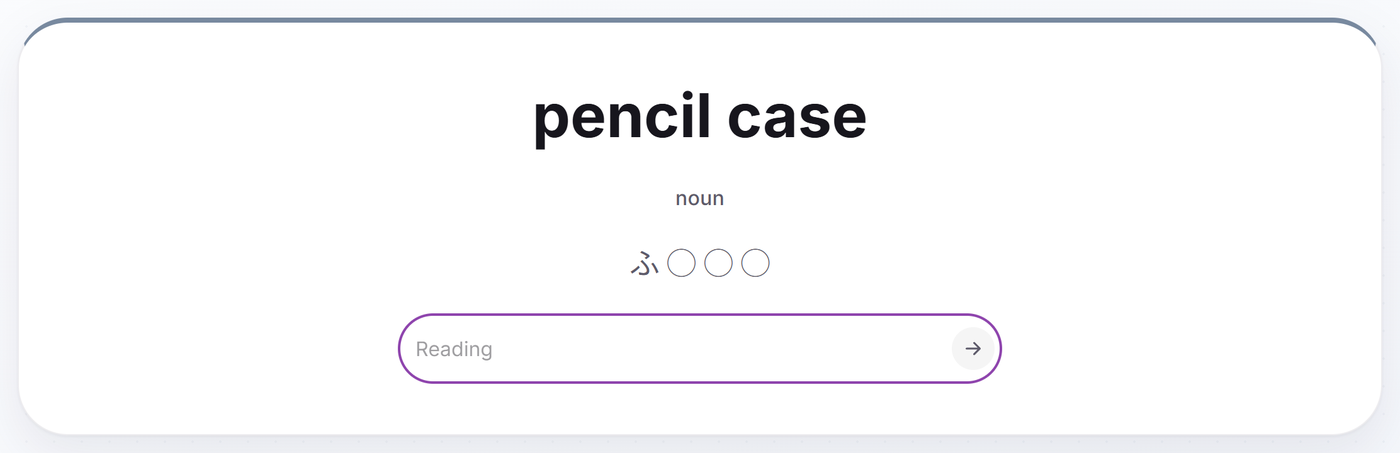
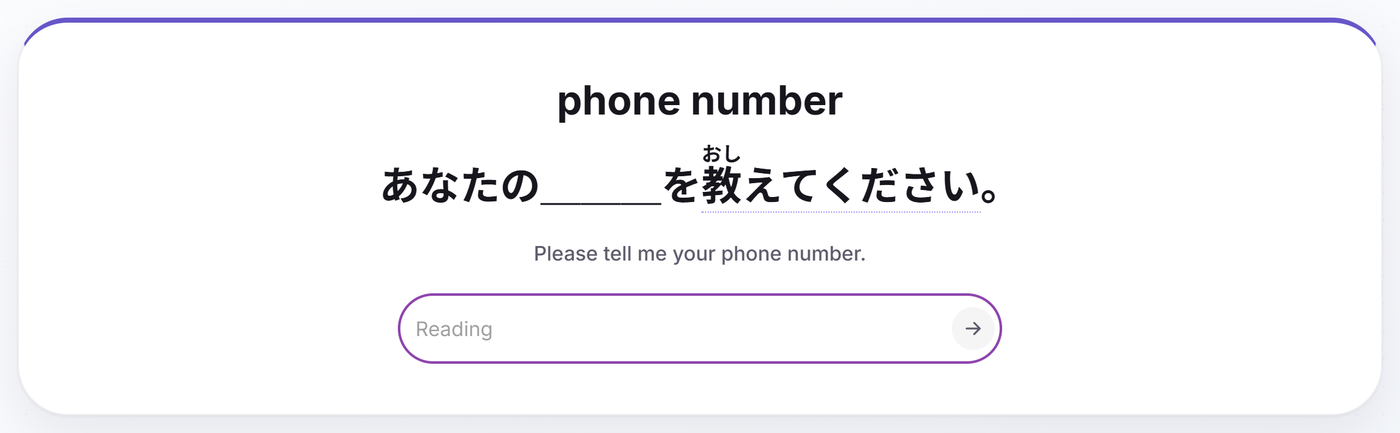
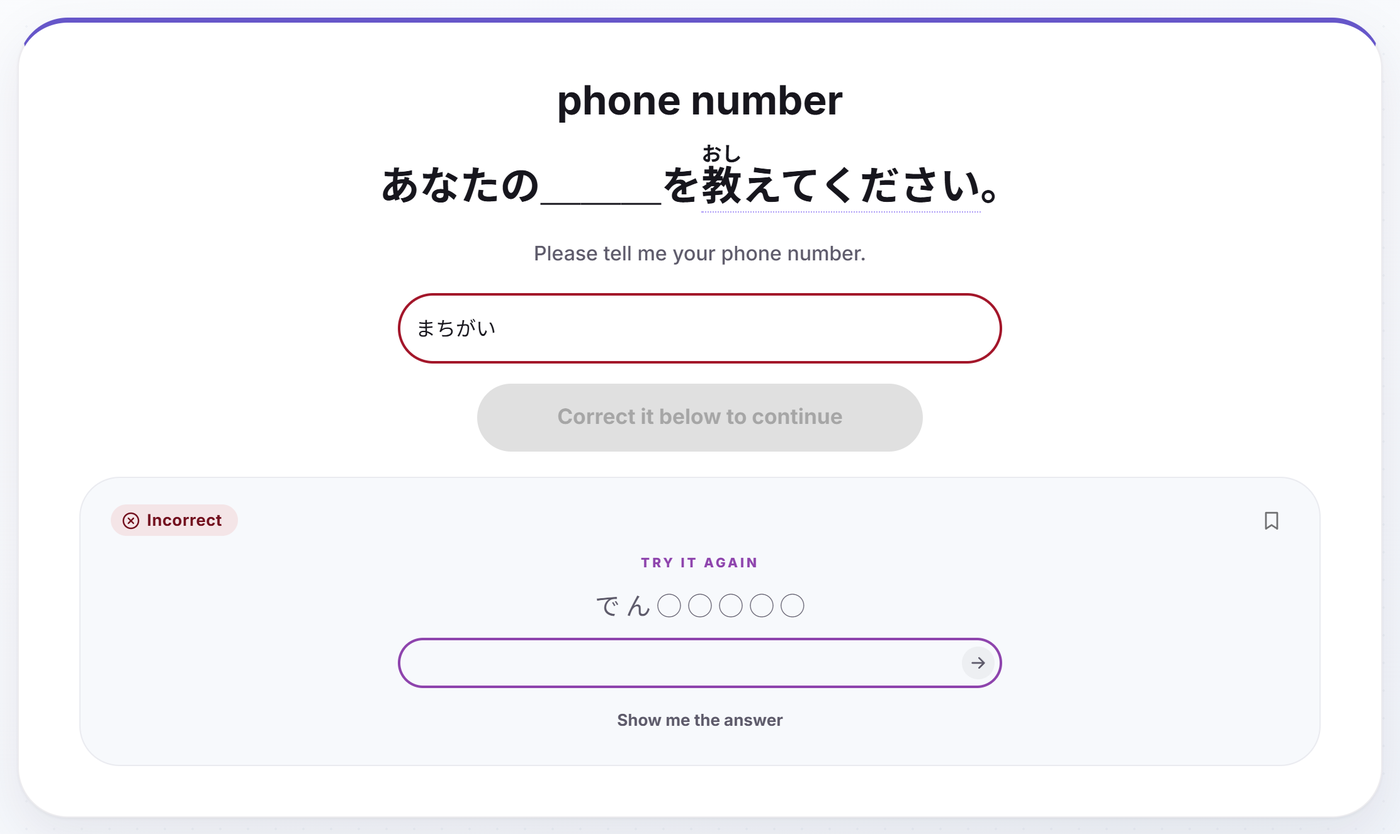
A hint, if you ask for it. Early on, a stuck reading can be scaffolded rather than abandoned: the hint draws the word's shape, one circle per mora, and on anything longer than two mora it fills the opening in. A two-mora word gets its length and nothing else, because there the opening would be half the answer. It is asked for, never offered, so a word you could already produce is never propped up.
The sentence card, once a word reaches Familiar. The reading question grows up: the same retrieval, asked inside a real sentence with the word blanked out.
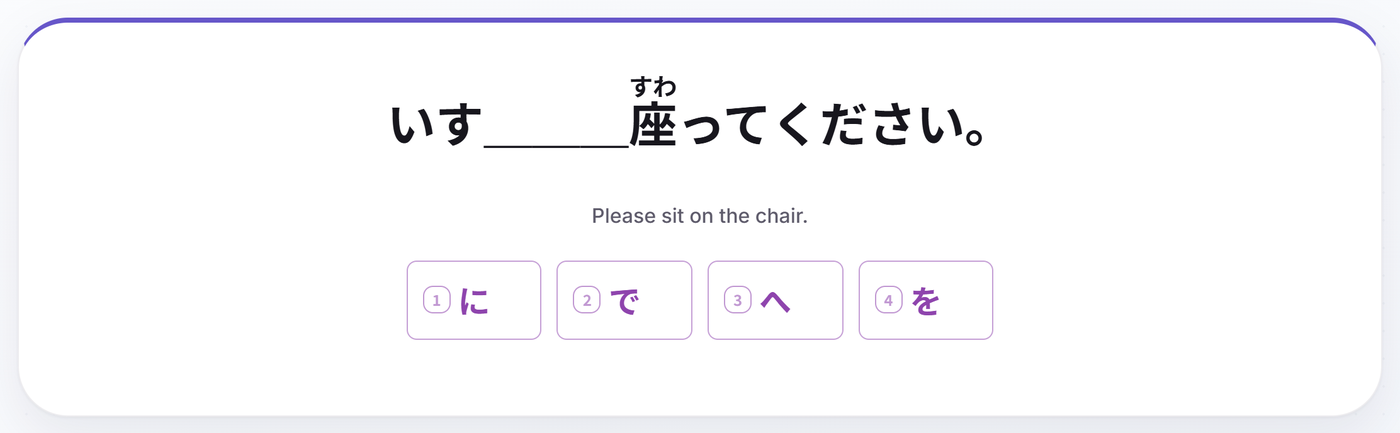
Cloze, for particles. に and で cannot be asked in either direction - "in, at, to, by" has half a dozen right answers - so a particle is asked as two different real sentences with the particle blanked, four options each.
A right answer in your own words is still right. A word's other accepted meanings count, not just the one printed on the card, and an optional part of a gloss can be left out: "to meet (someone)" takes "to meet". Spelled-out numbers and digits are the same answer, hyphens and spaces are ignored, and "thanks for" and "thank you for" open the same English phrase rather than being two different answers.
A typo is not a wrong answer. A small slip inside a short budget is forgiven outright. When the slip lands on a word's first or last letter, where "here" and "where" sit one keystroke apart, the card does not guess which you meant: it shakes and asks you to type it again, and nothing is graded either way. The tapped options get the same treatment from the other side - anything the typed box would have accepted is kept out of the wrong three, so a correct meaning can never be sitting there as a trap.
A miss is climbed back out of, not read off. Get a reading wrong and the answer is not simply handed over: you get its shape, then half of it, and type it once before moving on. Nothing there changes the grade - the card was already marked wrong - but the correction is retrieved instead of glanced at.
The session itself is built for speed. Enter advances, D opens the word's details, P plays the word, S plays the sentence, F turns furigana on or off mid-card. You can change your study and display settings without leaving the session, and if a card looks wrong you can report it from the card - it lands in a queue a person reads.
→ Recognition vs. recall in Japanese
A spaced-repetition schedule that gets out of your way
Cotobara's SRS moves each word up a ladder of eleven rungs, from a first review hours after your lesson out to gaps of months. The rungs are grouped into the five stages you will see named across the app: New, Learning, Familiar, Known, Mastered. Miss a word and it drops back down, further the higher it had climbed, and further if you missed both of its cards rather than one. Answer a word right onto Mastered and it retires there: it has earned its place in your count, and it stops taking reps you could be spending on words you don't know yet.
None of those intervals is exposed as a setting to second-guess. What you can choose is the order a session deals them in: soonest due, weakest first, easiest first, or shuffled.
→ The rules behind Cotobara's review schedule
Word breakdowns: why it means that
Most vocabulary apps give you a word and a gloss. Cotobara's entries also explain the word: the kanji breakdown, how the parts combine, a mental model for remembering it, real usage notes, etymology, and related words. Words that are easy to mix up carry a confusable panel that lays the pair side by side and says what actually separates them.
Learners who understand why 勉強 means "study" forget it far less often than learners who just memorized the pairing.
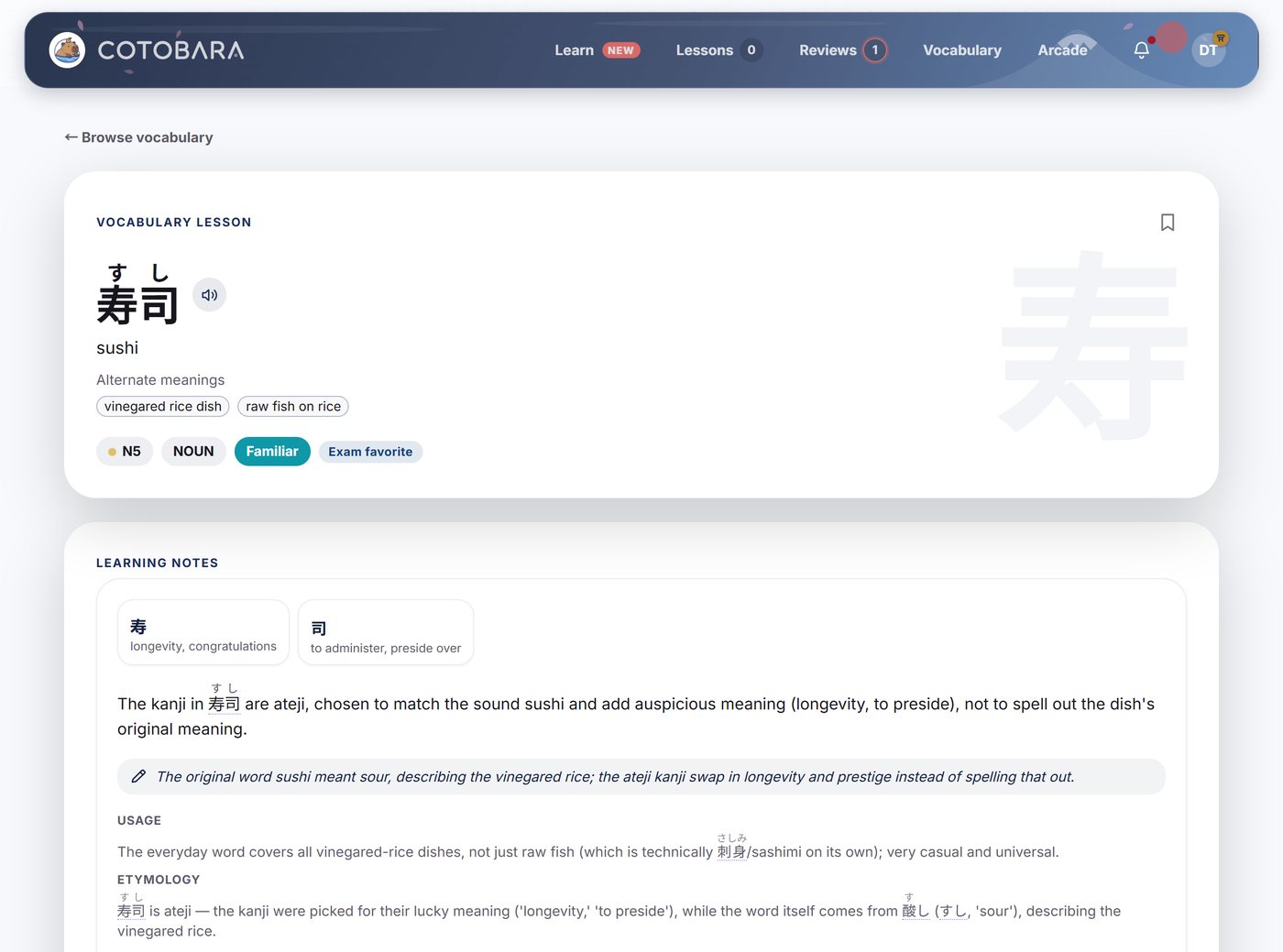
→ Why does this word mean that? Cotobara's word breakdowns
Your level, and the shelf it fills
Every word you have started is worth points by the rung it sits on, and those points become a level from 1 to 100, where 100 means the whole catalog. The curve is deliberately front-loaded: your first lesson lands you at level 3 on day one, and the last ten levels take years. The level never falls, so a bad week costs you nothing.
Along the way you earn badges - the frequency tiers of each JLPT level, the two kana scripts, streak and mastery milestones (Black Belt, Hundred Days, Ten Thousand), and sixteen named level badges from First Light at 5 to The Last Word at 100. They sit on a shelf on your dashboard, next to the streak.
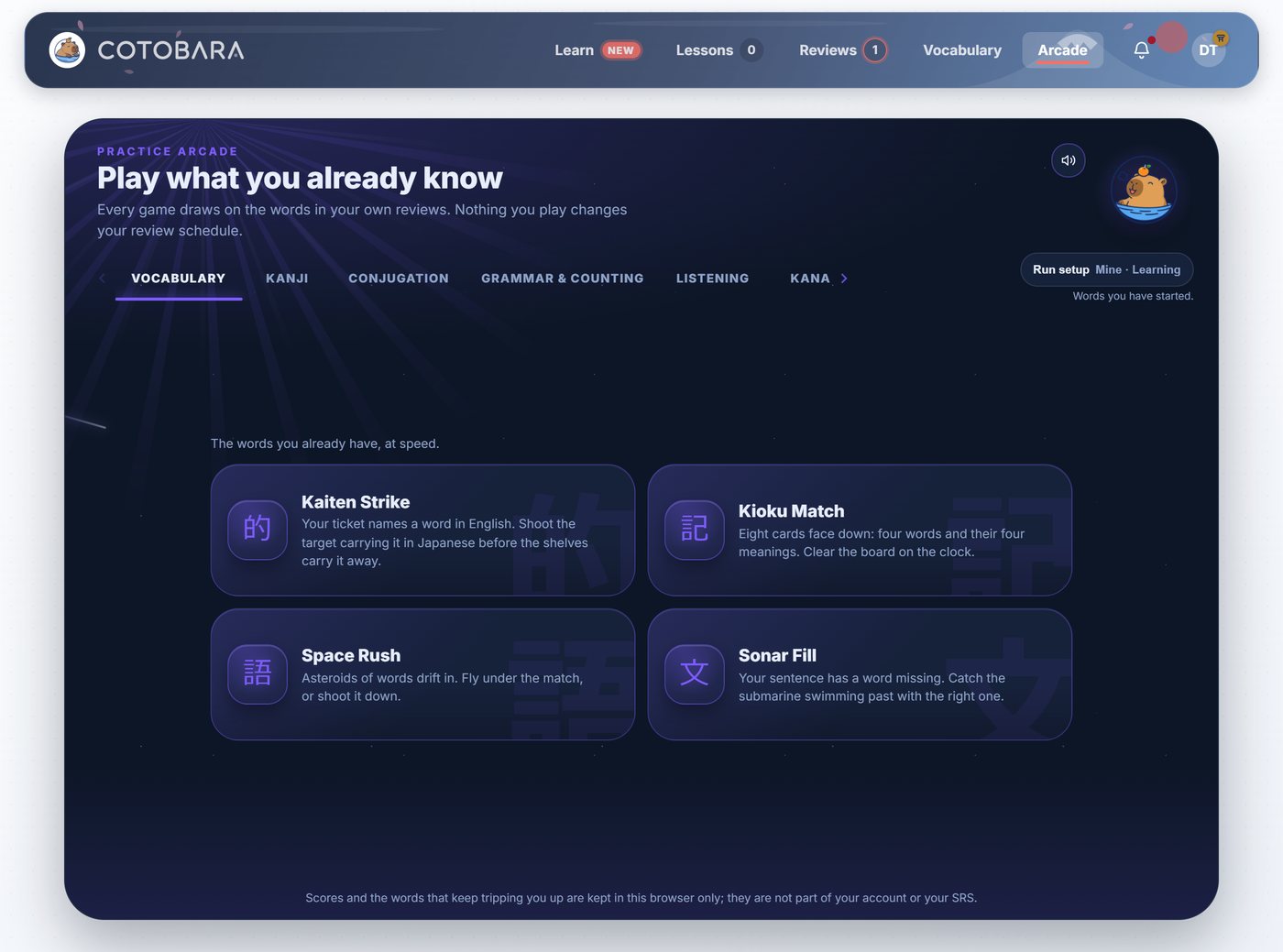
The arcade: twenty-one games dealt from real vocabulary
Reviews are the work. The arcade is for when you have done the work and still want another ten minutes of Japanese.
Twenty-one small cabinets sit across six shelves - Vocabulary, Kanji, Conjugation, Grammar & counting, Listening, and Kana - and every one of them is dealt from real vocabulary rather than a separate minigame corpus. Slash the right conjugated form out of four flying past. Build a kanji out of its parts. Kick a particle down the lane it belongs in. Fill the missing word before the sonar sweeps past. Pop the kana you just heard.
On Premium a run draws on your own words - the ones you have started, the newest ones, or the ones you keep getting wrong - or on any JLPT level you pick, which is how you play above your level on purpose or below it for speed. Free accounts play their own level. Each cabinet keeps your high score, you can turn the timer off entirely, and you can widen a run to 50 words when the default dozen goes too fast. Nothing you do in the arcade touches your SRS schedule.
Analytics: what your own reviews say about you
Cotobara builds you a report out of your own review history, and leads with the few things actually worth changing - ranked, in plain language, and mostly with a button that takes you straight to the thing being talked about.
Under the advice sits the evidence: where words slip on the ladder, what answering late really costs you in accuracy, the time of day your recall is sharpest, which handful of words is eating the most reviews, and where your current lesson pace is heading. The words costing you the most can be handed straight to an arcade run.
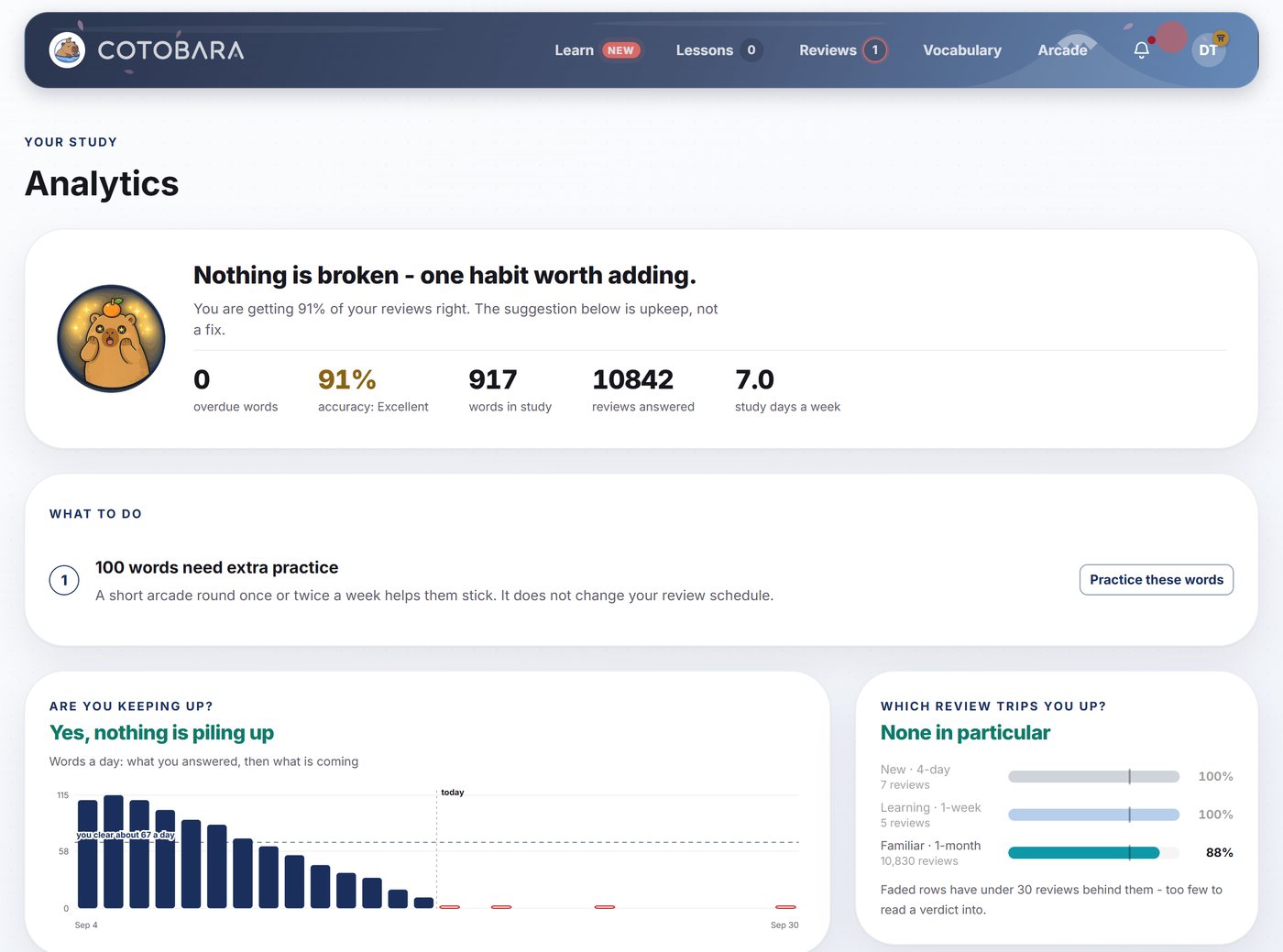
The advice is free for everyone. The panels behind it are Premium.
A dashboard that answers "am I ready for the exam?"
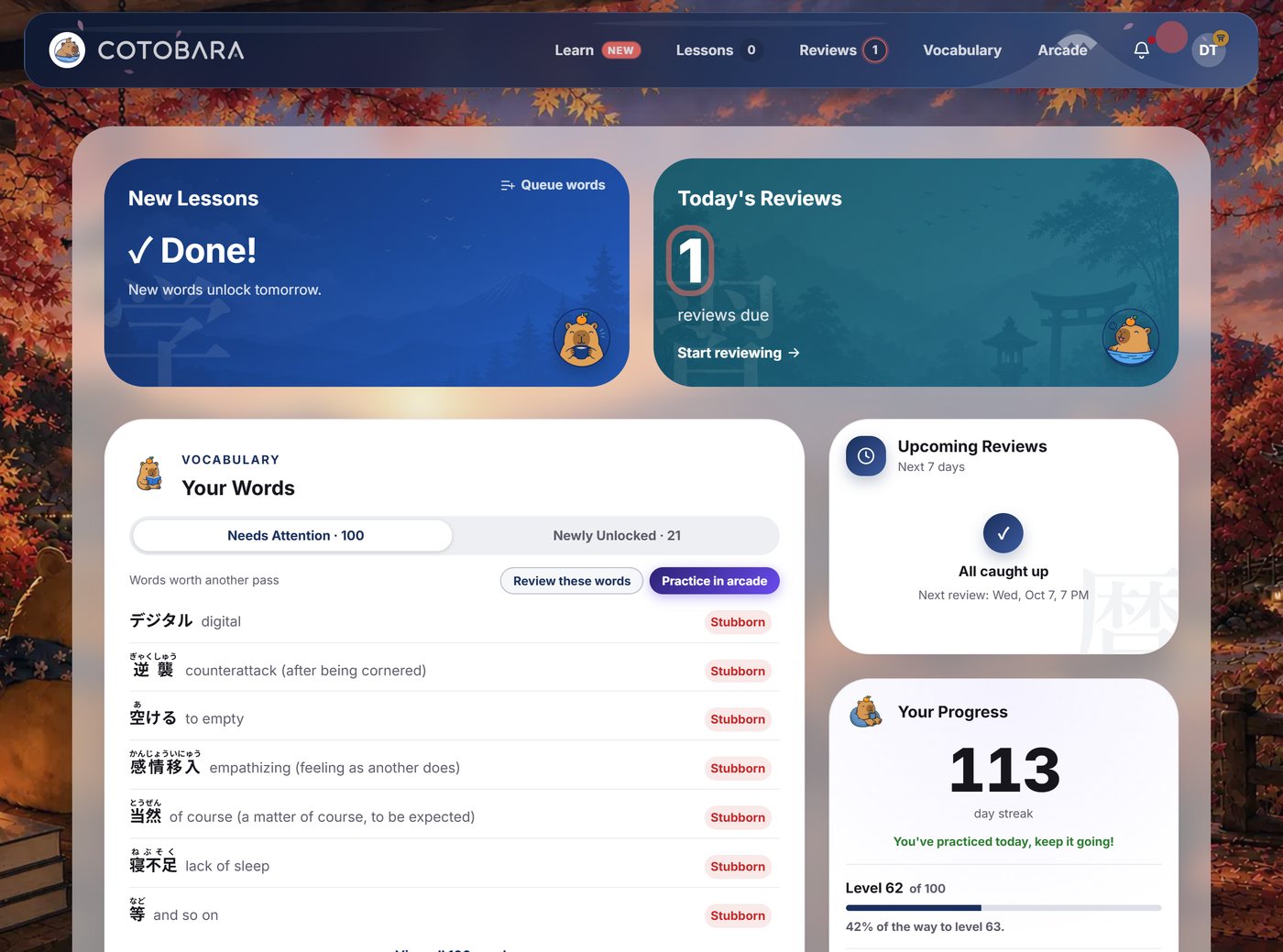
The dashboard is built around JLPT readiness, not vanity metrics: per-level progress bars and exam-readiness, a weekly accuracy ring with a nudge when your pace needs adjusting, when your next batch of reviews lands and how big it is, your streak and level, your badges, the words that keep tripping you up, and everything you unlocked recently.
→ Track your JLPT progress: the dashboard explained
Reading support built into every screen
- Furigana rendered natively over kanji, with separate switches for lessons, for reviews, and for words you have already started on WaniKani - plus F to flip it mid-card when one word has you stuck.
- Natural-sounding audio on every word, every example sentence, and every kana character, in a male or a female voice, autoplaying or on tap.
- Hover-to-translate example sentences: point at a word in a sentence and get its reading and meaning. Coverage isn't complete yet and the odd gloss is wrong, but it takes most of the wall out of a sample sentence.
- Type romaji, get kana: no Japanese IME required, on any device.
→ Furigana, natural-sounding audio, and hover-to-translate sentences
Make it yours
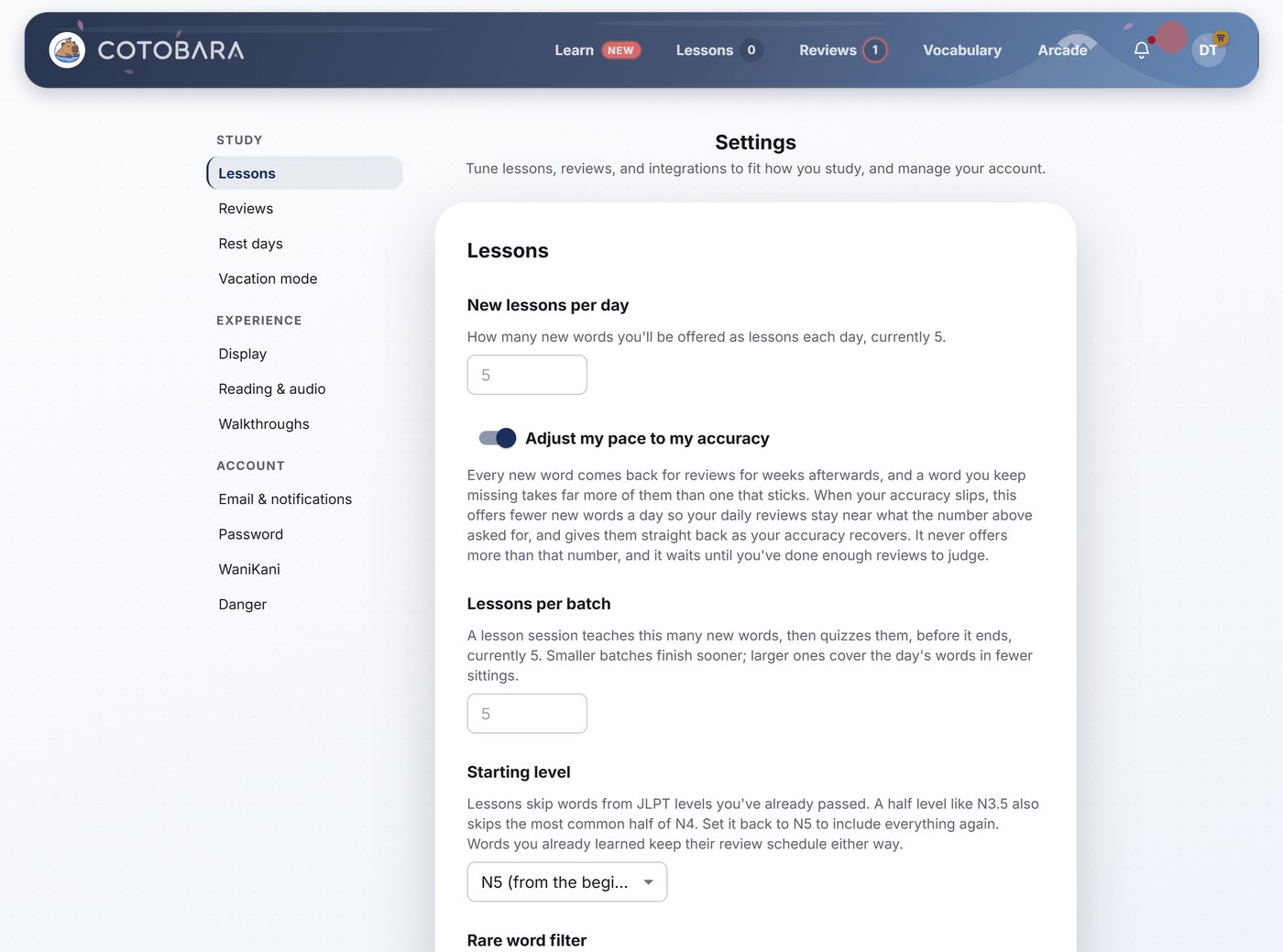
Most of the app's behaviour is one switch away, and none of it is homework:
- Starting level, including half-levels like N3.5, so Cotobara stops offering you easier words.
- Rare-word filter, so vocabulary too obscure to be worth your reps is left out.
- Lessons per day, lessons per batch, and the adaptive pace.
- Review order, and whether the phone keyboard drops after every answer.
- Text size, set per device and obeyed by the lesson and review cards.
- Dark mode, per device, the whole app redrawn rather than inverted.
- Study reminders and product announcements, each its own switch.
→ Set up Cotobara for your level
Rest days, vacation mode, and streak freezes
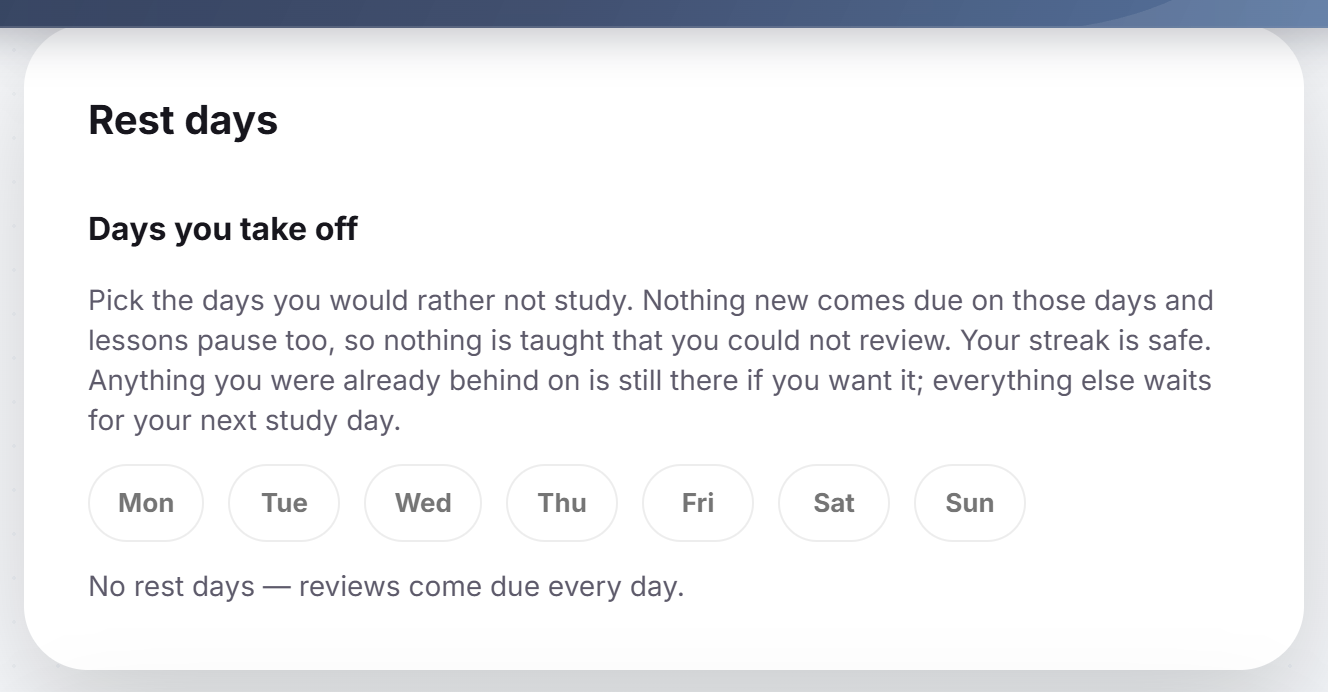
- Rest days: pick up to three days a week you would rather not study. Nothing new comes due on them, lessons pause too, and your streak is safe.
- Vacation mode: switch it on and the whole schedule stops. Switch it off when you are back and every word moves forward by the days you were away, so you return to your normal queue instead of a pile.
- Streak freezes: a missed day is covered for you automatically, once a calendar month on Free and three times on Premium.
WaniKani import: free for everyone
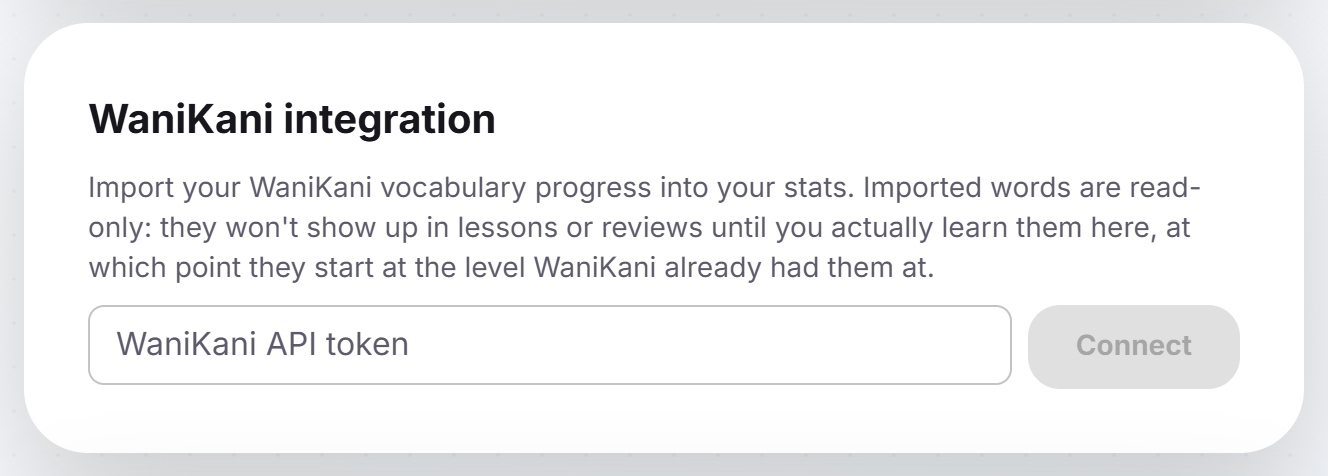
Already burning kanji on WaniKani? Connect your account and Cotobara imports your progress. Words you have already mastered there never come back as new lessons here, and words you have started keep the SRS stage they earned. Four filters let you decide exactly how much the two apps overlap.
→ How to use Cotobara with WaniKani · Why the pairing works
Still learning to read? Start with kana
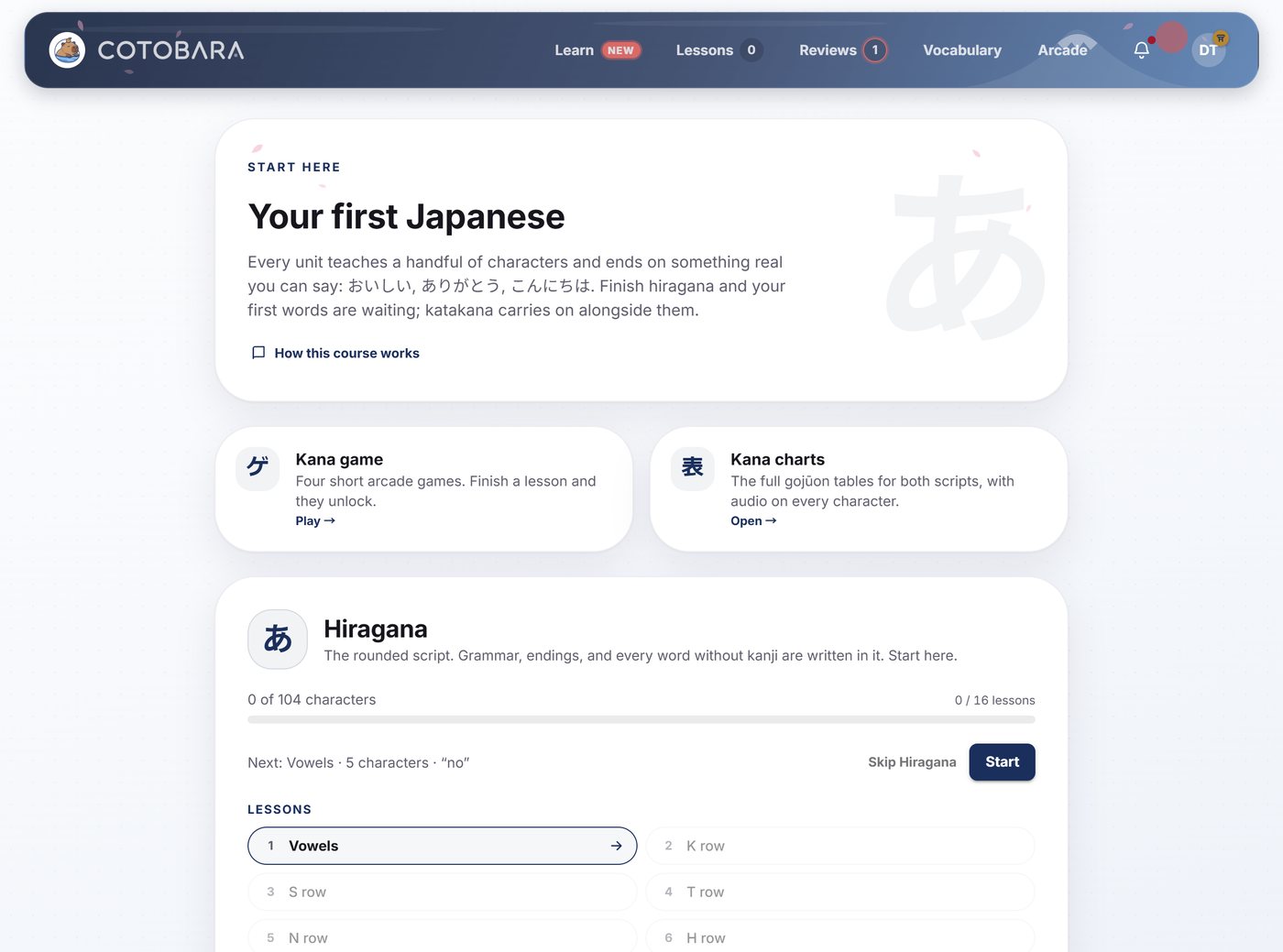
Cotobara includes a full hiragana and katakana course, 16 lessons per script, taught on the kana chart itself: you place each new character into the grid, answer every question by tapping it, spell real words out of what you've learned, and finish against the clock. It's free, and if you already read both scripts you can skip it entirely at signup.
Your own layer on top of the corpus
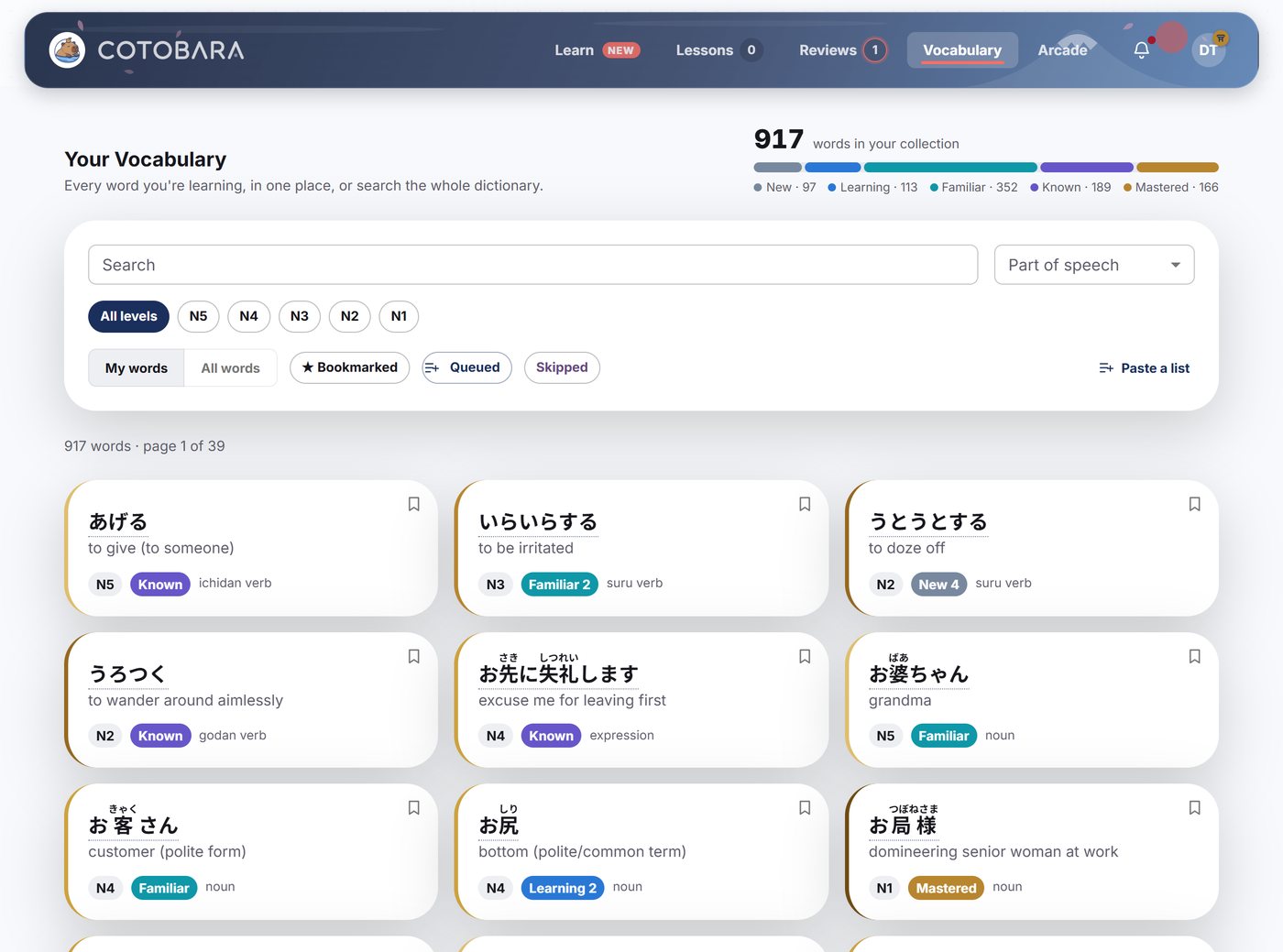
- A searchable browser over the whole corpus: search by kanji, kana or meaning, filter by part of speech, level, bookmarks or what is up next.
- Personal notes on any word.
- Bookmarks with your own tags, so you can build your own lists.
- Alternative meanings: if the grader rejects an answer you know is right, add it, and it counts from then on.
- Mistake practice: an untimed run over your recent misses, or over the words you have missed most of all time. You type the answer and climb down a ladder of hints if you need one, and nothing you do there moves a word's SRS stage.
- Skip a word entirely, from its own page, if it is one you are never going to need.
→ The vocabulary browser, bookmarks, and notes
What it costs
Free forever: the full beginner course, reviews for 50 words a day, the whole SRS, JLPT progress tracking, your level and badges, the advice half of your analytics report, the kana course, the arcade at your level, and WaniKani integration - so every word you have learned stays yours to keep studying. Premium is what adds new words, up to 100 a day, and unlocks word breakdowns, personal notes, bookmarks, custom answers, queueing the words you want next, the full analytics report, and arcade runs built from your own words. Every new account starts with a 30-day Premium trial, no card required.
Start for free. You'll be doing your first real review within a minute.